3 Steps to Designing a Home Office
Our top considerations for a comfortable and productive office.
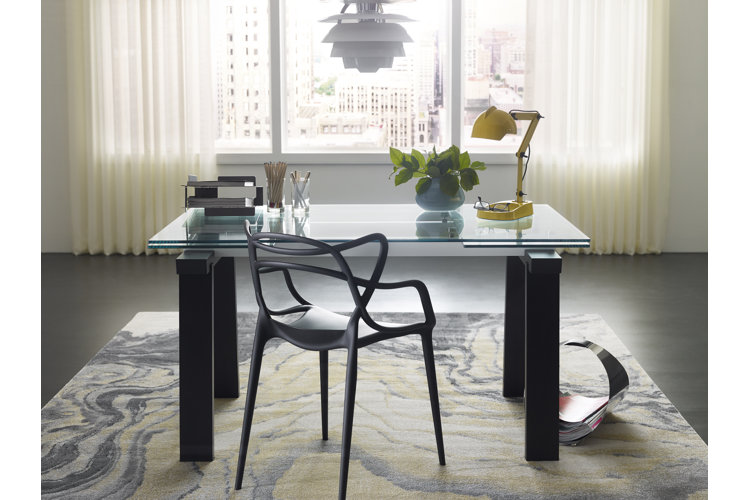
Designing a home office comes down to three essential things to consider:
- Functionality: Is everything in your office designed to allow you to work seamlessly, without having to shift things around daily?
- Location: Is your office and furniture in a location where you will be most productive?
- Comfort: Are you able to work comfortably? Are there small details that will make you and your clients more comfortable?
Whether you've always found yourself working from home or you're considering remodeling your workspace, keep reading for our tips on designing a home office that's functional, clutter-free, and comfortable.
Step 1 to Designing a Home Office: Make It Functional
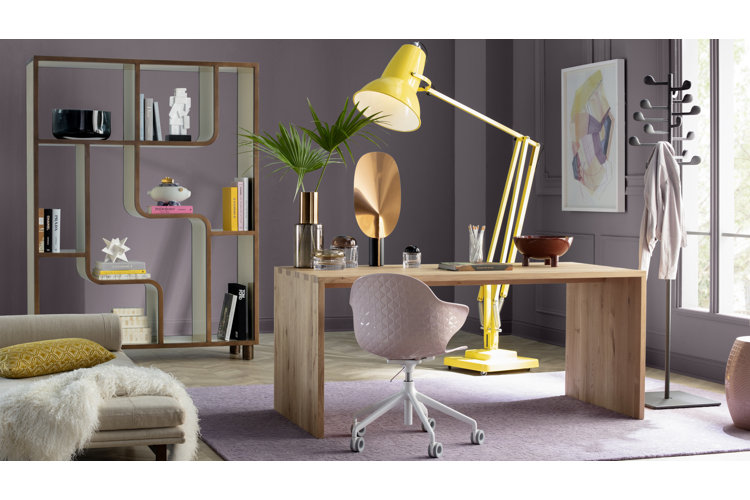
Pick a Desk Type: The type of desk you choose is directly related to the productivity of your workflow. Before picking one out, it's important to consider how you will be using it.
- A writing desk is on the smaller side, so it's perfect if you will primarily be working from a laptop. A writing desk is great for getting tasks done, but it doesn't have a lot of storage for long-term use.
- A computer desk is a great choice if you want storage and a clean work area. Computer desks have shelves or drawers, giving you plenty of room for storing things.
- An executive desk will have drawers or shelves similar to the computer desk, although the executive desk is almost always made from wood and has a lot of ornate details. Executive desks are large and heavy, making them a permanent home office fixture. These desks usually have a front panel that hides the legs of the person sitting behind it.
- Adjustable desks and standing desks are nice if you want to have flexibility throughout your workday or if you get antsy from sitting in a chair for too long.
- A floating desk is very efficient at saving space, so if you're setting up your office in another room's nook, it may be the way to go. Keep in mind that floating desks are mounted to the wall, so they cannot be moved or repositioned.
- Armoire, secretary, and credenza desks are beautiful with lots of ornate details and ample storage. They are also on the larger and heavier side. If you are considering one of these desks, make sure you have ample space or plan to design your office around them.
- Leaning and ladder desks are perfect for creating a minimalist-inspired set up. While these desks do not take up a lot of space, they have a lot of storage area on their shelves. This is perfect if you like to keep a lot of books nearby while working.
Pick a Desk Shape: While most standard desks are rectangular, there are a few other shapes to consider. Rectangular desks are great for giving you versatility, as this shape fits into almost any room. A lot of executive desks are oval-shaped, giving them an air of luxury. An L-shaped or corner desk creates a designated space for your monitor or laptop and a separate space for paper work and a printer. If you do need a printer, be sure to account for the space it will require. Alternatively, opt for a printing station on a bookshelf if you want to conserve desk space.
Choose a Chair: Your office chair is where you'll be spending most of your working hours. When designing a home office, it's important to choose a comfortable chair and to consider its adjustability and support options.
- A chair with an adjustable seat height lets you choose the right height for long-term comfort. Ideally, your thighs should be at roughly the same level as your hips or a bit lower.
- A chair that swivels will let you rotate in your seat without getting up. Many swivel chairs can lock into place to help maintain stability.
- A chair with a tilting mechanism will let you recline slightly while working. It's recommended to choose a chair that allows you to sit back at a 100° or 110° angle.
- A chair with lumbar support helps support the largest and strongest vertebrae at the base of your lower back. In general, a chair with a lumbar support between 0.6" and 2" works well.
- Chairs with ergonomic features usually have something that makes them specially designed to make working more comfortable. Some ergonomic chairs have a headrest, which can help reduce the strain on your neck and shoulders while working.
Make Space for Storage: It's important to think about alternative storage when designing a home office. You'll want easy access to the documents and folders you use every day. Use the nooks and crannies of your office to your advantage – floating shelves for books or a vertical filing cabinet to take up minimal floor space.
Location, Location, Location: The second thing to consider when designing a home office is location. Set up your office where you can be most productive. For starters, think about how you like to work. Do you like hustle and bustle? Or do you need a quiet space? If you need plenty of quiet time while working – or your job requires lots of face-to-face video calls and client interactions – make sure to pick a spot that is quiet with little to no background noise or movement. If you don't mind commotion, it may be fine to set your office up in the kitchen or living room.
Consider Lighting: Make sure there is plenty of light to cut down on tension headaches and eye strain. If you'll be placing the desk near a window for natural light, position the monitor where it won't have a glare. Instead of relying solely on overhead and outdoor lighting, place a small desk lamp on the desk to create more lighting for your workspace.
Be Inspired: Position your desk where you will have something that inspires you in your direct line of vision – or, simply, so that you aren’t staring at a blank wall in your home office. A window, for example, will give you plenty to look at throughout the day but can be a distraction for some. Alternatively, decor like a piece of artwork or a wall hanging can be inspiring, and it is easy to swap out pieces anytime.
Look Behind You: If your work involves a lot of video calls, think about the backdrop behind you and what clients and colleagues will see during those virtual meetings. In that vein, make sure you don’t have too much sunlight streaming in directly behind you. Too much light can cast unwanted shadows during video calls.
Ensure Productivity: As you’re deciding where to place your desk, be mindful of outlets. If you'll be plugging multiple items in at once (a lamp, second monitor, printer, etc.) plan to get a power strip so that you can connect everything and maintain productivity.
Step 3 to Designing a Home Office: Make It Comfortable
Welcome Guests: Plan for your clients by creating a comfortable space for conversations with thoughtful furniture. This can be as simple as two barrel chairs that can be pulled up to your desk or other easy-to-integrate seating. If space allows, consider placing a sofa or two chairs in your office with an end table or coffee table between them.
Consider the Little Details: Do you have frequent morning meetings with guests or clients? Add a coffee or espresso machine to your office to start your mornings off on the right foot. For even more personalized decor, integrate a collection of unique mugs – a bone china or earthenware set, for example – and coasters so you’re all set to serve lattes.
Don't Forget Happy Hour: Love to raise a glass with clients at the end of the day? Consider adding a wine fridge to your office for the perfect happy-hour essential. If your clients have a variety of preferences, a small bar setup is key. Choose a luxe bar cart and keep a few bar tools on hand.
Ready to start designing a home office?
